
Expert Tips for Using Roland Large Format Printers

When it comes to large format printing, Roland printers stand out for their reliability, versatility, and high-quality output. Whether you are a seasoned professional or just starting in the printing industry, understanding how to maximize the potential of your Roland large format printer can significantly enhance your projects. This guide provides expert tips to help you get the most out of your Roland printer, ensuring that your prints are not only stunning but also efficient.
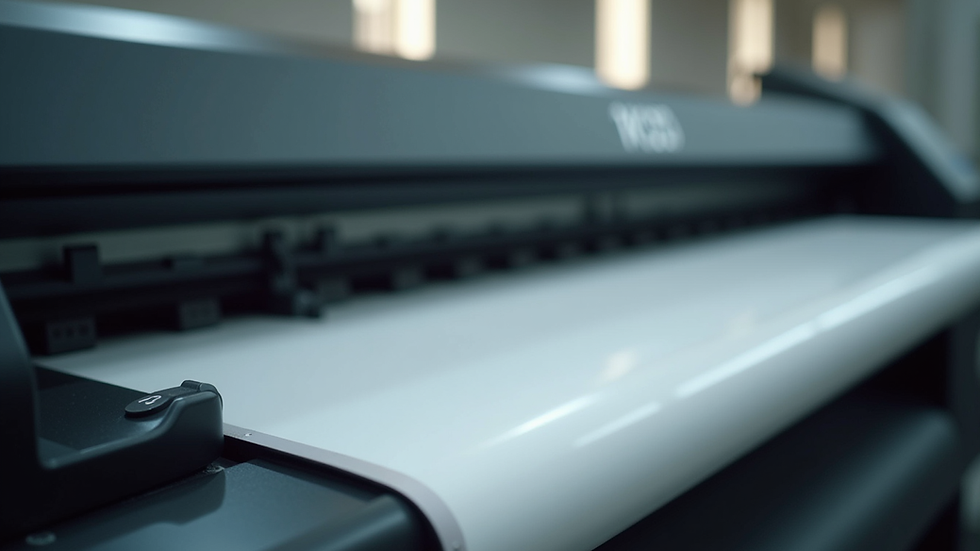
Understanding Your Roland Printer
Before diving into tips and tricks, it’s essential to familiarize yourself with the specific model of your Roland printer. Each model comes with unique features and capabilities. Here are some key aspects to consider:
Print Width: Different models support various print widths. Knowing your printer's maximum width helps in planning your projects.
Media Compatibility: Roland printers can handle a wide range of media types, including vinyl, canvas, and paper. Understanding which media works best for your projects is crucial.
Ink Types: Familiarize yourself with the ink types your printer uses, such as eco-solvent, UV, or dye-sublimation inks. Each type has its own characteristics and applications.
Preparing for Print
Proper preparation is key to achieving high-quality prints. Here are some steps to follow:
1. Design Considerations
Resolution: Ensure your design files are at least 300 DPI for optimal print quality. Lower resolutions can lead to pixelation.
Color Profiles: Use the correct color profiles (CMYK for print) to ensure color accuracy. Roland printers often come with specific ICC profiles for different media types.
Bleed and Margins: Always include bleed in your designs to prevent white edges on your prints. A standard bleed of 0.125 inches is recommended.
2. Media Setup
Loading Media: Follow the manufacturer's instructions for loading media. Ensure it is straight and properly aligned to avoid skewed prints.
Media Type Selection: Select the correct media type in the printer settings. This ensures that the printer applies the right amount of ink and uses the appropriate drying time.
Printing Techniques
Once your design is ready and the media is set up, it’s time to print. Here are some techniques to enhance your printing process:
1. Use the Right Print Mode
Roland printers offer various print modes, such as standard, high-quality, and draft. Choose the mode based on your project requirements:
Standard Mode: Ideal for everyday prints where speed is essential.
High-Quality Mode: Best for detailed graphics and images, though it may take longer to print.
Draft Mode: Useful for proofs or internal reviews where quality is less critical.
2. Monitor Ink Levels
Keep an eye on your ink levels to avoid running out during a print job. Most Roland printers have a built-in ink monitoring system. Regularly check and replace cartridges as needed to maintain print quality.
Maintenance Tips
Regular maintenance is crucial for the longevity and performance of your Roland printer. Here are some essential maintenance practices:
1. Cleaning the Print Heads
Routine Cleaning: Perform routine cleaning of the print heads to prevent clogs. This can usually be done through the printer’s control panel.
Deep Cleaning: If you notice print quality issues, a deep cleaning may be necessary. This process uses more ink but can restore print quality.
2. Regular Software Updates
Keep your printer’s firmware and software up to date. Manufacturers often release updates that improve performance and fix bugs. Check the Roland website regularly for updates.
Troubleshooting Common Issues
Even with the best preparation and maintenance, issues can arise. Here are some common problems and their solutions:
1. Banding in Prints
If you notice banding (horizontal lines) in your prints, it could be due to:
Clogged Print Heads: Perform a cleaning cycle.
Incorrect Media Settings: Ensure the media type is correctly set in the printer.
2. Color Inconsistencies
If colors appear different than expected, consider the following:
Calibration: Regularly calibrate your printer to ensure color accuracy.
Profile Settings: Double-check that you are using the correct ICC profile for your media.
Advanced Techniques
For those looking to push the boundaries of their Roland printer, consider these advanced techniques:
1. Layering Prints
Layering different colors or textures can create unique effects. Experiment with different media types and inks to achieve stunning results.
2. Custom Finishing Options
Explore custom finishing options such as laminating or mounting your prints. This not only enhances durability but also adds a professional touch to your projects.
Conclusion
Using a Roland large format printer can open up a world of possibilities for your printing projects. By understanding your printer, preparing effectively, and maintaining it properly, you can achieve exceptional results. Remember to keep experimenting with different techniques and media to discover what works best for your unique needs.
With these expert tips, you are well on your way to mastering your Roland printer and producing high-quality prints that stand out. Start your next project with confidence, knowing that you have the tools and knowledge to succeed.
Comments